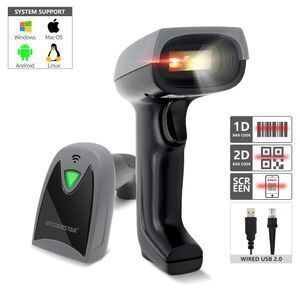
X-760E Mobile Payment QR Bar Code Reader Wired USB Portable Handheld 1D 2D QRcode Barcode Scanner for android tablet
- 17.50 >=2 pieces
| Certification: | FCC,ce,RoHS,Other; | Scan Speed: | 200scans/sec; |
| Software development kit (SDK): | Yes; | Material: | ABS+PC; |
| Light Source: | Red LED(Aiming)+White LED(lighting); | Colour Depth: | 32 Bit; |
| Package Preview: | ; | Trigger Mode: | Manual ;Continuous sensing;Auto-sensing; |
| Max Paper Size: | A4 Size; | System Supported: | Linux,Android,Windows XP,7,8,10,MAC; |
| Brand Name: | GTCODESTAR; | Optical Resolution: | 4mil; |
| Products Status: | Stock; | Private Mold: | Yes; |
| Payment Terms: | L/C,Western Union,D/P,T/T; | Warranty(Year): | 1-Year; |
| Size: | L*W*H:161.5 * 77.0 * 88.0(unit:mm); | Sensor: | Planar CMOS sensor; |
| Interface Type: | usb,COM; | Scan Element Type: | CMOS; |
| Packaging Detail: | bubble bag and kraft paper box; | Power Supply: | DC 5V ±5%; |
| Type: | Barcode Scanner; | Weight: | 120.0g±5g(Without cable); |
| Port: | Guangzhou/Shenzhen; | Prompt Mode: | Buzzer, Indicator Light(LED); |
| Supply Ability: | 50000 Piece/Pieces per Month; | Place of Origin: | Guangdong China; |
| Print Contrast: | 30%; | After-sales Service: | Return and Replacement,Call Center and on-line Technical Support; |




|
1. Fail to read barcodes. A. Some barcode types don’t set to be read as factory default. Please check whether you enable this function. B. The barcode is not correct. Please generate a new barcode. C. There’s direct sunlight on the barcode and the photoreceptor becomes saturate. Please avoid direct sunlight. D. There’s transparent material covered on the barcode. The high reflectance will influence the decoding performance. E. Hardware failure: defective engine board. |
|
2. Can read barcodes, but can’t upload data. A. Please check whether the cable is connected well. B. Please check whether the settings of PC port and serial scanning are the same. C. If it is wireless barcode scanner, please check if it is paired well with the computer. |
|
3. There’s no electricity of the barcode scanner. A. PC insufficient electricity supply or external power source failure. B. Hardware failure: defective cable or mainboard. |
|
4. Wireless barcode scanner pairs successfully, but can’t upload data. Please reset factory default. Scan ‘factory default’ and ‘serial mode’. |
Foot Pressure and Arch Scan Plantoscopy Podiatry Foot Scanner Insole Custom Machine
Foot scanning insole thermoforming machine Foot measuring device Custom self-service terminal
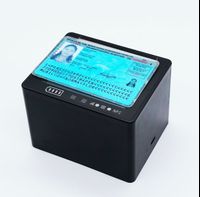
ID & Passport Desktop Readable Zone (MRZ) OCR Reader
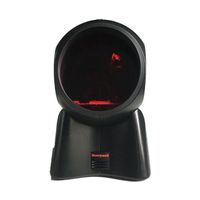
Honeywell MK7120 Barcode Scanner
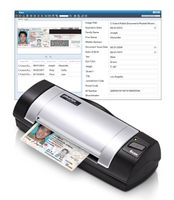
Plustek D620i - Double-sided card scanner can automatically read US and Canadian driver's license/ID card data